
Most people have used a chatbot. You type a question, it gives you an answer. That’s it.
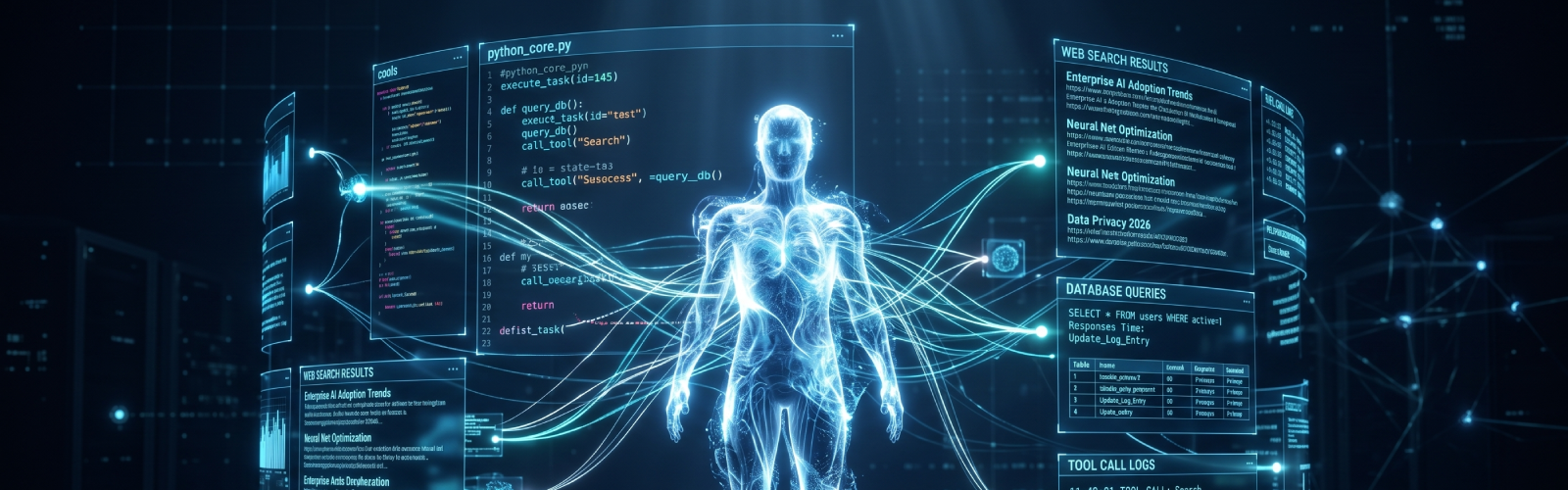
An AI agent is something fundamentally different. An agent does not just answer questions. It takes actions, uses tools, makes decisions, and works through multi-step problems on its own. It can search the web, query a database, run code, call an API, read a file, and loop through those steps until a task is actually done.
This is not a small upgrade. The difference between a chatbot and an AI agent is the difference between asking a colleague what the weather is and asking that colleague to plan and book your entire business trip.
At ThirdEye Data, we build AI systems for enterprise clients. We have worked directly with Claude from Anthropic for agentic workloads, and this guide shares what we have actually learned about building agents in production. No fluff. No surface-level theory. Just what you need to understand and build.
The word “agent” gets overused, so let us be clear about what it actually means here.
An AI agent built on a large language model (LLM) like Claude has three core characteristics:
It uses tools. Rather than only generating text, it can call external functions. A tool could be a web search, a database query, a calculator, or any function you define.
It runs in a loop. The agent keeps working until the task is done. It does not stop after one response. It takes an action, sees the result, decides what to do next, takes another action, and so on.
It makes decisions. The model reads the context and decides which tool to use, when to use it, and when to stop. You are not writing a script that calls tools in a fixed order. The model is choosing dynamically.
This combination of tools plus looping plus decision-making is what separates a true agent from a standard LLM call.
Claude follows instructions precisely. For agents, this matters a lot. If Claude misunderstands your tool schema or ignores part of your system prompt, the whole pipeline breaks. Claude is consistently strong at sticking to the rules you set.
Claude handles long, complex context well. Agents accumulate conversation history across many steps. Claude models support very large context windows and degrade gracefully as context grows.
Claude is built for agentic work. The Claude Opus 4.8 model, released in 2026, was specifically upgraded for stronger agentic performance. Anthropic also launched a Managed Agents platform for long-running agent sessions.
Claude’s tool use is trained-in and reliable. Claude has been trained on thousands of successful tool-use trajectories. It calls tools with well-formed arguments, handles errors gracefully, and knows when not to call a tool.
Before we go further, it is worth saying this clearly: you do not have to write code to build a Claude agent.
Choose the no-code path if you are a business user, operations lead, or product manager who wants to automate a workflow without engineering support.
Choose the code path if you are a developer, you need the agent to connect to proprietary internal systems, or you need fine-grained control over how the agent behaves in production.
Both paths use Claude as the underlying intelligence. They just differ in how you interact with it.
Anthropic provides a visual interface at platform.claude.com called the Console. You open it, pick a model, write a system prompt in plain text, select which tools to give the agent, and test it interactively right in the browser. No API calls required.
Once your agent works the way you want in the Console, you copy the agent’s ID and plug it into code for production deployment. You do not have to throw away what you built.
Best for: Developers prototyping before writing code, and non-technical teams who want to experiment with agent behavior.
Relevance AI is a dedicated no-code platform for building and managing AI agent teams. It supports Claude as a model and is built specifically for business users. You describe the agent you want in plain English and the platform builds it for you. It connects to over 1,000 apps including Salesforce, HubSpot, Slack, Gmail, Google Sheets, and Notion.
Companies like Canva, KPMG, Autodesk, and Databricks use it. One customer generated $7M in pipeline using 35 agents. Another saves 40 hours per week. The platform includes evaluation dashboards, escalation controls, and audit logs for every action.
Best for: Operations teams, revenue teams, and business leaders who want to deploy agents at scale without an engineering team. Visit relevanceai.com.
If your use case is more about automating a structured workflow than building a reasoning agent, Zapier and Make let you build automations that include Claude as one of the steps. For example: a new lead fills out a form, Claude qualifies and writes a personalized email, then it sends via Gmail.
Best for: Repetitive, structured workflows where the steps are known in advance: marketing automation, lead qualification, content generation pipelines.
If you need to connect to a proprietary internal API, need fine-grained retry logic, are handling millions of requests per month, or have data that cannot leave your infrastructure, you need code. The rest of this guide covers exactly that.
A tool is just a function in your code. You give Claude a description of what the function does and a schema describing what inputs it accepts. Claude reads those descriptions and decides when to call the function.
Key Point: Claude never executes your code directly. Claude asks for a tool to be called by returning a structured request. Your application receives that request, runs the function, and sends the result back.
tools = [
    {
        "name": "get_stock_price",
        "description": "Get the current stock price for a given ticker symbol. "
                       "Use this when the user asks about a stock's price.",
        "input_schema": {
            "type": "object",
            "properties": {
                "ticker": {
                    "type": "string",
                    "description": "The stock ticker symbol, e.g. AAPL for Apple"
                }
            },
            "required": ["ticker"]
        }
    }
]
The name is how Claude identifies the tool. Keep it short and descriptive. The description is what Claude reads to decide whether to use this tool; this is the most important field. The input_schema follows JSON Schema format and tells Claude exactly what arguments to pass.
When you send a message to Claude with tools attached, Claude either responds with regular text or with a tool_use block. If it requests a tool call, your application runs the function and sends the result back. This continues until Claude reaches end_turn.
def run_agent(user_message: str):
    messages = [{"role": "user", "content": user_message}]

    while True:
        response = client.messages.create(
            model="claude-opus-4-8",
            max_tokens=1024,
            tools=tools,
            messages=messages
        )
        if response.stop_reason == "end_turn":
            for block in response.content:
                if hasattr(block, "text"):
                    return block.text

        if response.stop_reason == "tool_use":
            messages.append({"role": "assistant", "content": response.content})
            tool_results = []
            for block in response.content:
                if block.type == "tool_use":
                    result = execute_tool(block.name, block.input)
                    tool_results.append({
                        "type": "tool_result",
                        "tool_use_id": block.id,
                        "content": result
                    })
            messages.append({"role": "user", "content": tool_results})
        else:
            break
The loop is the agent. Everything else is just defining what tools exist and what they do.
(See full two-tool research agent code in the article above.)
Notice the system prompt. It defines the agent’s role, when to use each tool, and how to format answers. A well-written system prompt is one of the highest-leverage things you can do when building an agent. The print statement inside the loop lets you observe which tools are being called, when building and debugging; this visibility is essential.
Claude can request multiple tools at the same time when it determines they are independent. The rule: collect all tool results from a single Claude response before sending them back together in one message.
response = client.messages.create(
    model="claude-opus-4-8",
    max_tokens=1024,
    tools=[{"type": "web_search_20260209", "name": "web_search"}],
    messages=[{"role": "user", "content": "What is the latest news on AI regulation in the EU?"}]
)
No agentic loop to manage. Anthropic runs the search, feeds the results back to Claude, and you get a final answer. Other server-side tools include web_fetch, code_execution, and tool_search.
Vague tool descriptions. Write descriptions that are specific about what the tool does, when to use it, and what it returns.
No system prompt. Always write one. Without it, Claude will make up its own interpretation of its role.
Not handling all stop reasons. Claude can also stop for max_tokens, stop_sequence, or refusal. Handle each explicitly.
Infinite loops. Add a maximum iteration counter and break out if the agent exceeds it.
Not logging tool calls. Log every tool call: name, inputs, and result. This is the fastest way to diagnose unexpected behavior in production.
Multi-agent systems involve one orchestrator agent that breaks down a large task and assigns subtasks to specialized subagents. Claude’s Managed Agents platform supports this natively.
Memory for persistence across sessions: store summaries in a vector database and retrieve them at the start of each new session.
Managed Agents (beta from Anthropic) provides hosted infrastructure for long-running tasks — no server to run yourself, with a cloud sandbox including a file system, shell, and browser.
Get an API key at platform.claude.com. Install the SDK with pip install anthropic. Write one tool, set up the agentic loop, and run it with a simple question that requires that tool. Once that works, add a second tool. Then write a proper system prompt. Then add error handling. Build complexity one layer at a time.
The fundamentals: tools plus loop plus decision-making, do not change, no matter how sophisticated your agent becomes. Every enterprise AI agent we have built at ThirdEye Data is built on exactly this foundation.
From a specific use case to a full-scale modernization, share your requirements, and our engineers will take it from there. We typically respond within 24 hours with a transparent, detailed assessment of what's possible for your business.

We are a full-stack AI development company that helps enterprises make better decisions, reduce costs, and operate more efficiently.






333 West San Carlos Street, San Jose, CA 95110 USA
6000 Rome Blvd, Brossard, Quebec J4Y 0B6 Canada
Technopolis, Kolkata, India
CTIE, Hubli, India
We are a full-stack AI development company that helps enterprises make better decisions, reduce costs, and operate more efficiently.
333 West San Carlos Street, San Jose, CA 95110 USA
India: Kolkata, WB & Hubli, KA
Canada: Brossard, Quebec